Managing Windows devices across a distributed workforce can quickly become a time-consuming IT challenge. Different hardware, remote employees, applications, drivers, and Windows updates can turn routine device provisioning into a complicated process.
Traditional imaging often requires maintaining multiple images for different PC models, manually managing drivers, and relying on VPN connectivity for remote deployments. The result is more IT overhead, inconsistent devices, and more time spent troubleshooting.
CTComp helps organizations simplify Windows device management with SmartDeploy, a Windows imaging and OS deployment platform designed to make PC provisioning, application management, and device lifecycle management easier—even for remote devices.
Simplify Windows Imaging and Deployment
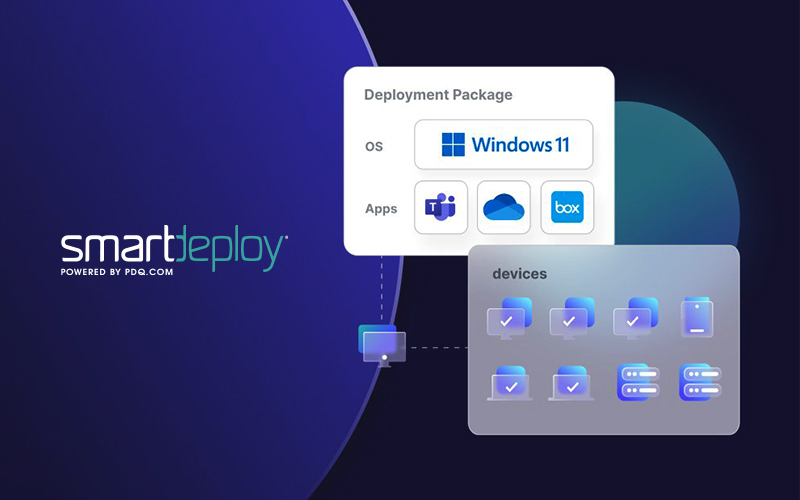
SmartDeploy allows IT teams to deploy operating systems, drivers, and applications to on-premises and remote Windows devices without requiring a VPN.
Instead of maintaining separate images for different hardware configurations, SmartDeploy uses a layered approach that separates:
- Operating systems
- Drivers
- Applications
- User data
This allows IT teams to build and maintain a single Windows golden image that can be deployed across different makes and models.
Eliminate Hardware Compatibility Headaches
Managing drivers across a diverse device environment can create significant administrative overhead. SmartDeploy helps simplify this process with more than 1,500 prebuilt Platform Packs covering major PC manufacturers and models.
IT teams can deploy the appropriate drivers without manually maintaining driver packages for every device.
The result is faster provisioning and greater consistency across your organization’s Windows environment.
Keep Applications and Devices Up to Date
Provisioning a device is only part of the challenge. IT teams also need to keep endpoints patched, updated, and secure throughout their lifecycle.
SmartDeploy enables organizations to centrally:
- Deploy applications
- Update and patch software
- Remove applications
- Push Windows updates
- Manage Windows migrations
- Scan endpoints for installed software
Prebuilt Application Packs make application deployment easier, while custom packages can be created when needed.
Support the Entire PC Lifecycle
SmartDeploy isn’t limited to initial device deployment. It provides tools to support PCs throughout their lifecycle, including:
- PC Imaging: Build and maintain a single Windows image across different hardware.
- PC Refreshes: Move users to new hardware while maintaining their files and settings.
- Application Management: Deploy, update, and patch applications across endpoints.
- Windows Updates: Push updates or manage larger Windows migrations centrally.
- Device Setup: Quickly configure new devices with operating systems, drivers, and applications.
- PC Break-Fixes: Reimage the operating system without affecting applications or user data.
This gives IT teams one platform for managing devices from initial deployment through refreshes and troubleshooting.
Ready to Reimagine Device Management?
Managing a distributed Windows environment shouldn’t require multiple images, manual driver management, or complicated deployment processes. CTComp helps organizations simplify that process by implementing solutions like SmartDeploy that reduce manual provisioning, improve consistency, and make device management more efficient.
Whether you’re deploying new PCs, refreshing an aging fleet, managing remote endpoints, or preparing for a Windows migration, SmartDeploy can help your team spend less time managing devices and more time supporting the business.
Connect with CTComp to learn how SmartDeploy can simplify Windows provisioning and help your organization manage the entire PC lifecycle more efficiently.